Position (3D Viewer)
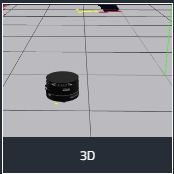
In the 3D viewer it is possible to show position and gps information of the following types
- Pose
- PoseStamped
- PoseWithCovariance
- PoseWithCovarianceStamped
- NavSatFix
Pose Centering Controls
When selecting a pose layer to be used as a reference layer
- First activation locks the camera position on the layer.
- Second activation also locks the camera orientation so the layer stays centered and facing forward.
Pose layers can also display each robot's online status directly in the 3D scene and expose pose-related actions from the viewer. Use these actions to stay in the 3D context while monitoring or controlling a robot's position.
Goal and Route Planning
The 3D Viewer supports goal placement and route planning directly inside the scene.
- Tap or click the floor to place a goal. Confirmation controls appear near the selected point.
- Set goal orientation in a second step by dragging the direction arrow.
- Reposition and reorient goals or route stops before sending them.
- Add multiple route stops to plan a route. The viewer connects selected stops automatically.
- Use undo to remove the most recent route stop, or clear the route to start again.
On phones, the viewer is locked by default so the surrounding page can scroll. Unlock the viewer manually, or enter full-screen mode to unlock it automatically.
Pose Layer Settings and Device Display
For Pose Layer Settings, you can configure the Device Display to control how the robot appears in the scene:
- Public Device: Default model shared across organizations.
- Organization Device: Models specific to your organization.
- File on the Robot:
- Switches the dropdown to a text input field.
- Enter the file path relative to
/home/cloud-user/. - Supported format:
.zipwith a valid URDF structure (see below). 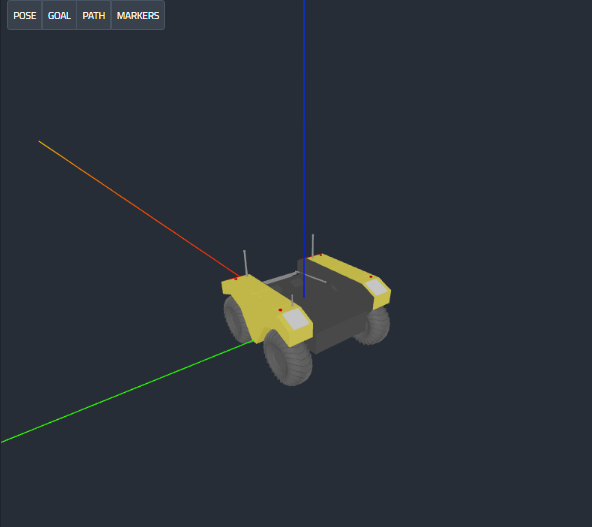
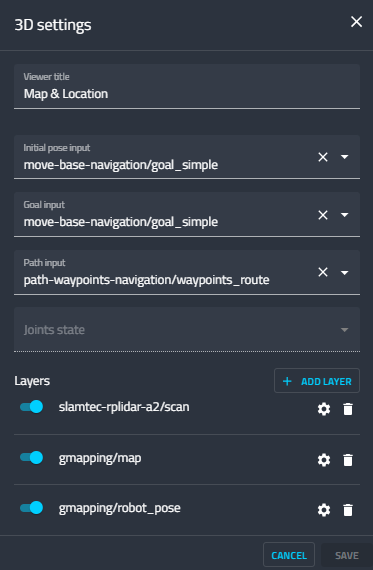
Pose Grids
Pose layers can include their own grid configuration. Supported grid types are:
- Standard grid for regular metric spacing.
- Radial grid for viewing distance and direction around the robot.
Attach grids to pose layers when operators need spatial context tied to a moving robot, rather than a fixed world grid.
Device Mesh from Robot File
- The URDF
.zipfile on the robot can be selected as a Device Display source (see the structure below).
URDF Zip File Structure (Device Mesh)
robot_name/
  robot_name.urdf
  meshes/
    base_link.stl
    camera_mount.dae