Welcome
To unlock the full potential of Cogniteam’s platform, you need to create an account.
Visit https://app.cognimbus.com/ and follow these steps:
1. Open the Sign Up Page
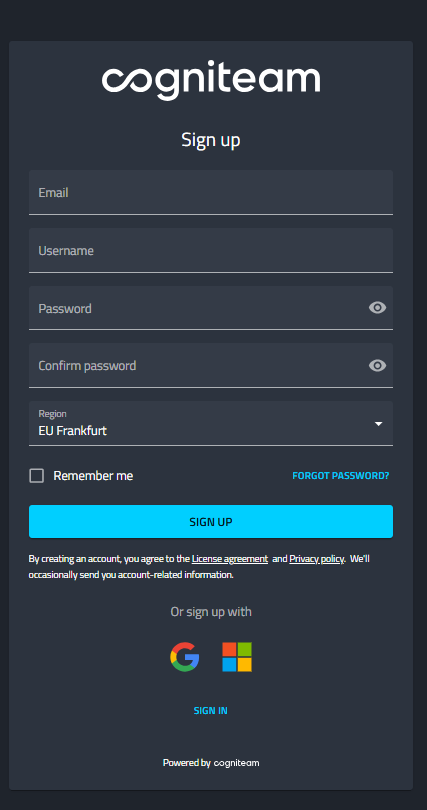
2. Fill in Your Details
- Enter your email address.
- Choose a username.
- Create a secure password.
3. Use an SSO Account (Optional)
- You can also sign up or log in using your Google or Microsoft account.
4. Choose a Region
When signing up, select the region that best suits your location and latency needs:
- EU – Frankfurt → Recommended for users in USA, Europe, and the Middle East
- AP – Osaka → Recommended for users in Japan, Asia, and India
🎉 You’re In!
After signing up, you can:
- Take a quick Guided Tour of the platform.
- Refer to this manual for detailed instructions.