Buttons Viewer

The Buttons Viewer lets you create on-screen buttons that send predefined commands when pressed.
Typical uses include:
- Emergency stops.
- Navigation to locations (for example, charging stations or inspection points).
- Toggling behaviors or modes on the robot.
Key Capabilities
- One-click actions for frequently used commands.
- Per-button styling so critical actions (like E-stop) stand out visually.
- Rate and deadline controls to avoid flooding the system with commands.
- Built-in and custom button management from the viewer settings.
Configuration
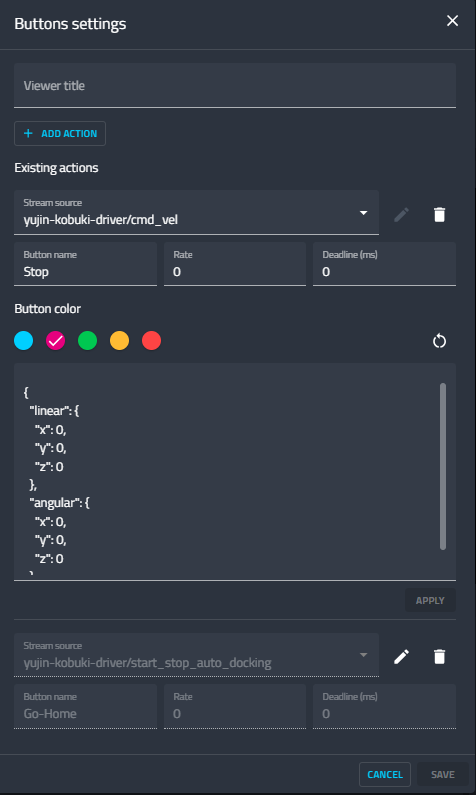
- Click Add Action.
- Define:
- Stream Source: Stream receiving button commands.
- Button Name: Label displayed on the button.
- Command Rate: Frequency of command transmission.
- Deadline (ms): Time limit for command execution.
- Button Color: Customize appearance.
- Command Text: Payload sent to the stream when pressed.
The stream source field lists the supported ROS message types for built-in button commands, helping you choose a compatible command topic before saving the action.