Markers (3D Viewer)
The 3D Viewer supports visualizing markers, zones, and meshes directly in the scene.
Markers can be used to annotate objects, highlight regions, display text, or render 3D models aligned with ROS data.
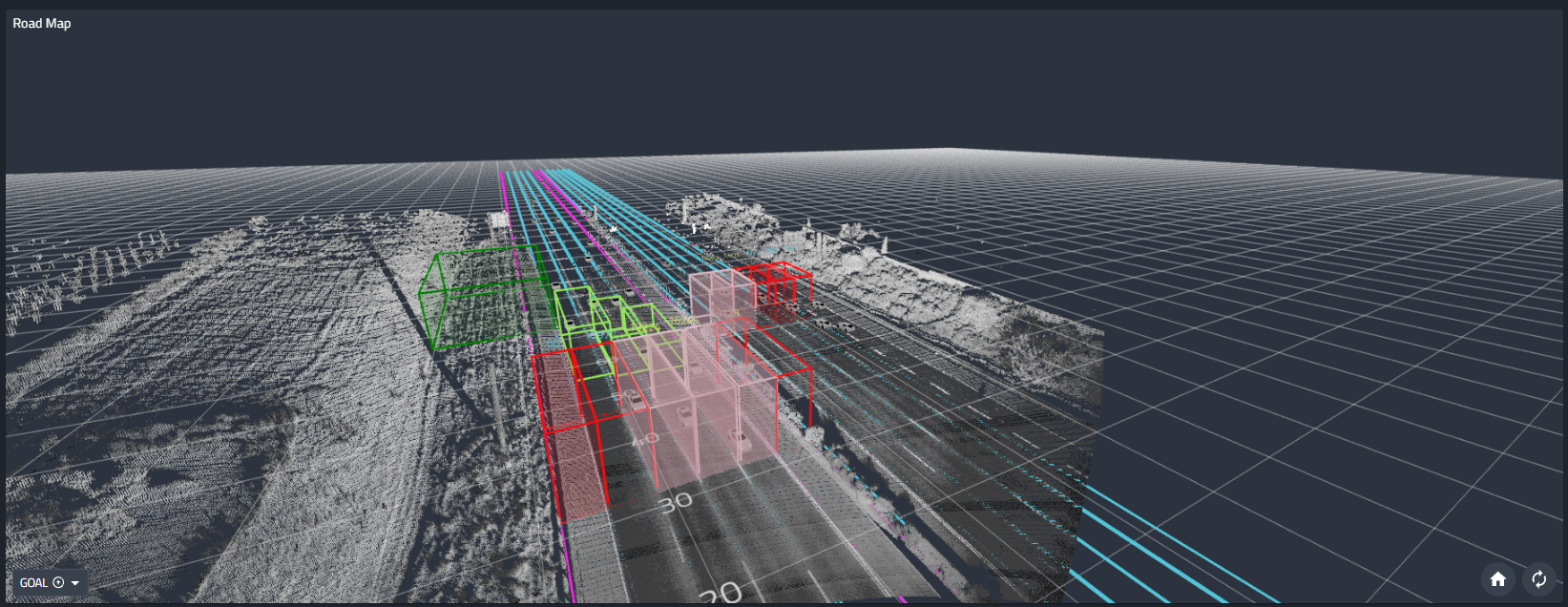
Supported Markers
The viewer supports all standard ROS visualization markers, including:
- Primitive shapes (cube, sphere, cylinder, arrow)
- Line strips and lists
- Text markers
- Icons
- Mesh resources
Markers behave consistently with ROS conventions and update dynamically as new messages arrive.
Cogniteam Public Meshes
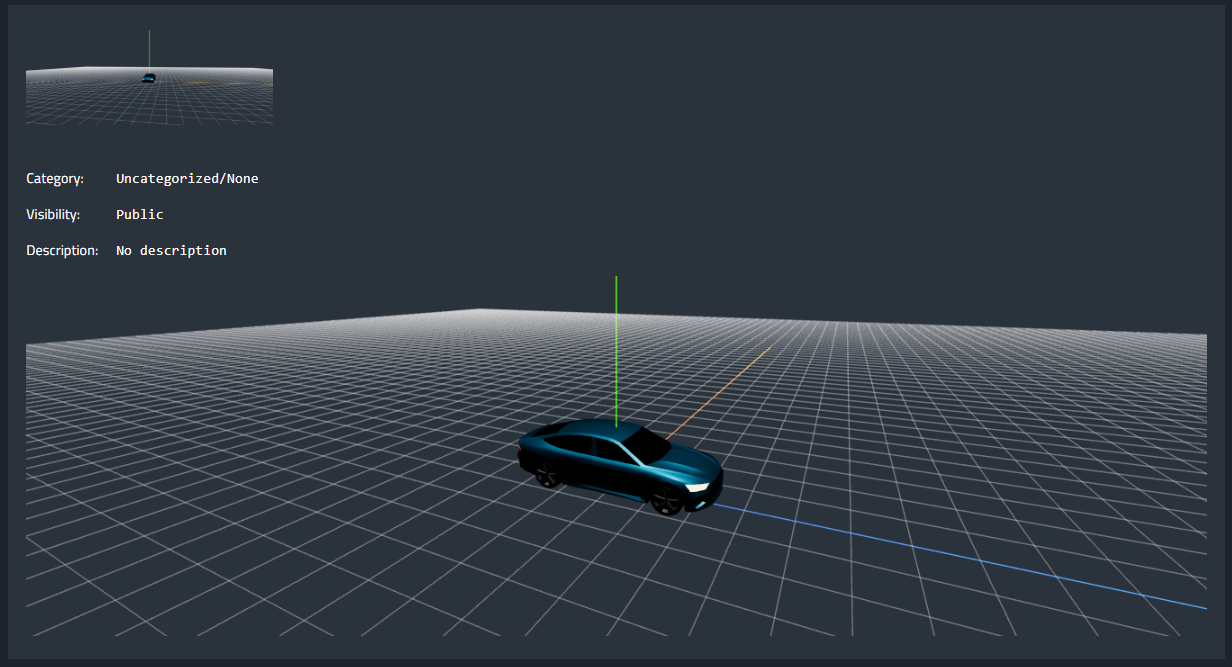
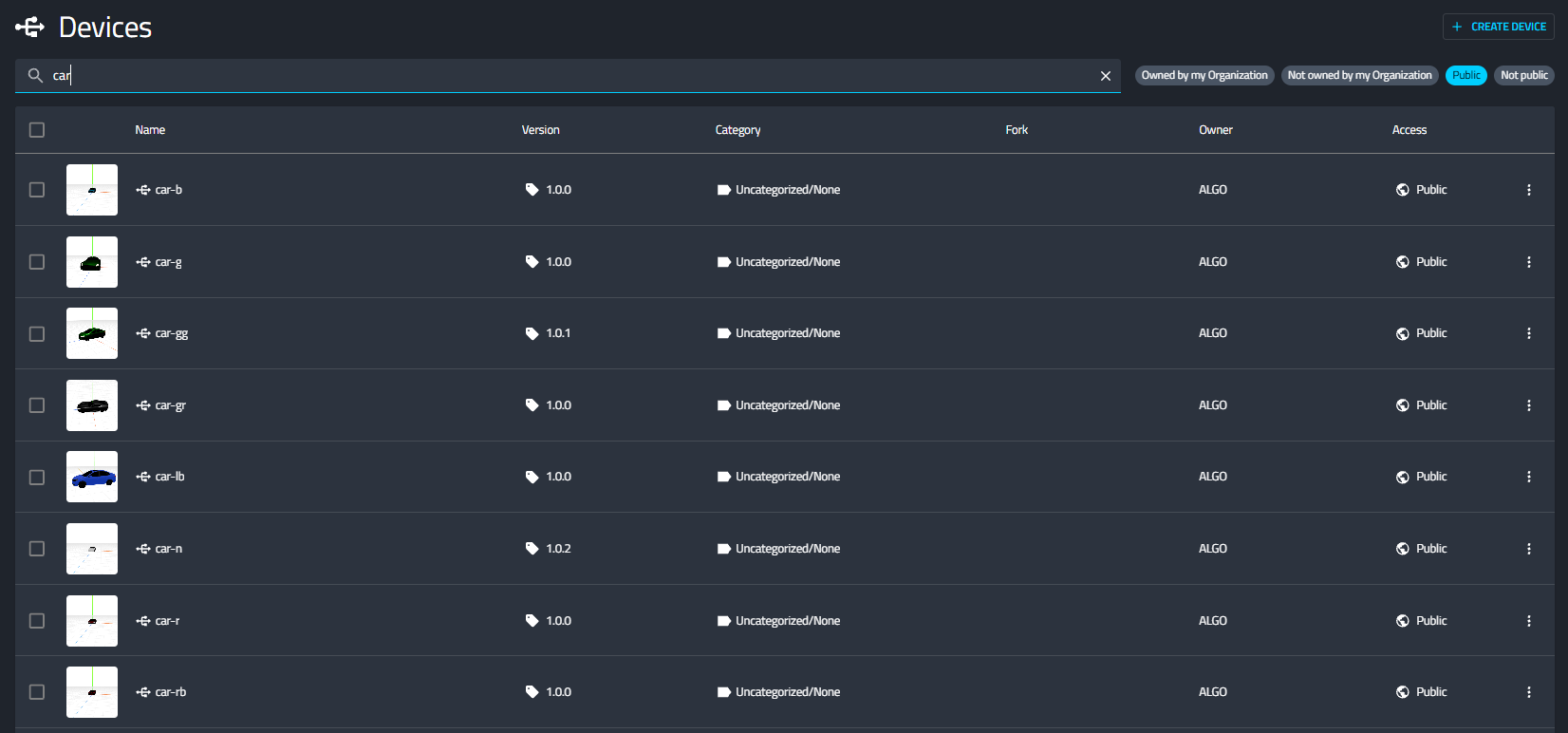
Cogniteam provides a public library of reusable 3D meshes that can be used directly in ROS marker messages.
- Supported formats: URDF, GLB
- Additional meshes can be uploaded easily
- Each mesh receives a unique ID visible in the mesh URL
Example workflow:
- Upload or select a mesh from the public library
- Copy the mesh ID from the URL
- Reference it in the ROS marker message in
mesh_resourcefield.
For example, to show the mesh available here
https://app.cognimbus.com/devices/edit/cefd4a49-5cd2-432b-b822-13bb5b6a1f65/1.0.0
Publish the following ROS2 marker
{
  "header": {
    "frame_id": "map",
    "stamp": {
      "sec": 0,
      "nanosec": 0
    }
  },
  "ns": "cogniteam_meshes",
  "id": 1,
  "type": 10,
  "action": 0,
  "pose": {
    "position": {
      "x": 0.0,
      "y": 0.0,
      "z": 0.0
    },
    "orientation": {
      "x": 0.0,
      "y": 0.0,
      "z": 0.0,
      "w": 1.0
    }
  },
  "scale": {
    "x": 1.0,
    "y": 1.0,
    "z": 1.0
  },
  "color": {
    "r": 1.0,
    "g": 1.0,
    "b": 1.0,
    "a": 1.0
  },
  "mesh_resource": "cefd4a49-5cd2-432b-b822-13bb5b6a1f65",
  "mesh_use_embedded_materials": true,
  "lifetime": {
    "sec": 0,
    "nanosec": 0
  }
}
This allows consistent visualization of vehicles, objects, and custom assets across projects.
Marker Editor
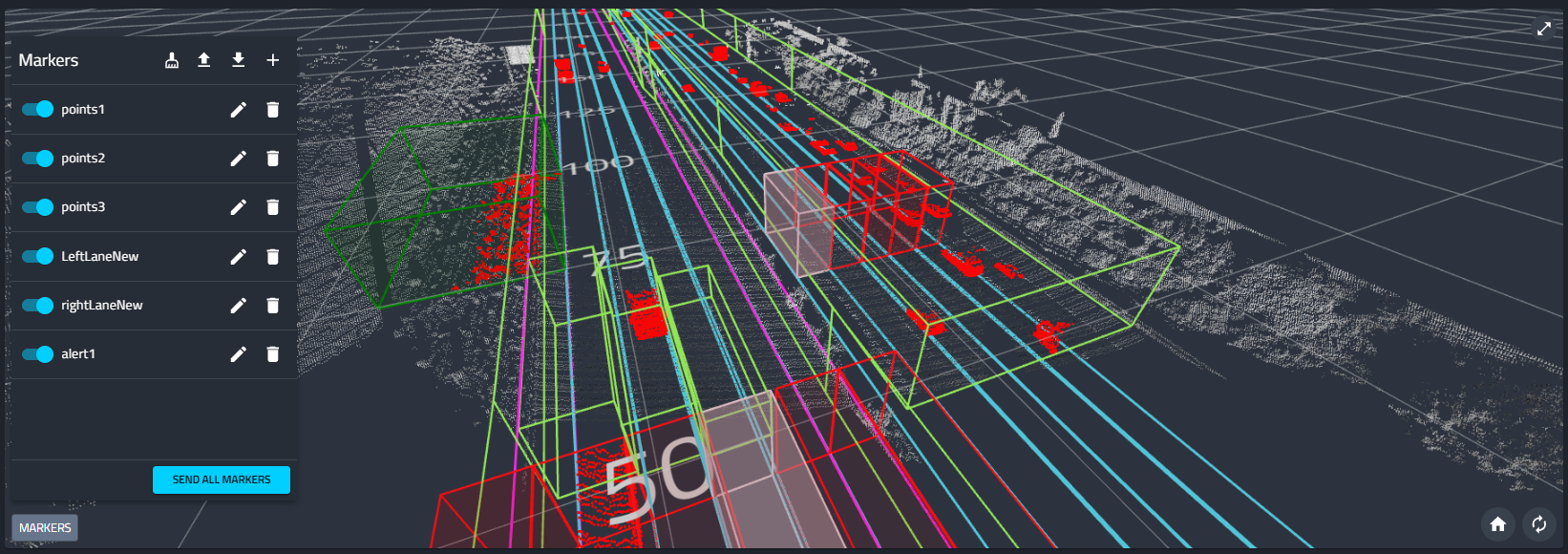
The Marker Editor enables interactive creation and management of markers directly from the UI.
Enabling the Marker Editor
- Define a marker publishing stream in the Viewer Settings
- Once enabled, the Markers panel becomes available
Editor Capabilities
- Add and delete markers
- Toggle marker visibility
- Bulk upload and download markers as JSON
- Send all markers simultaneously to a ROS2 topic
- Reshape placed markers by dragging an existing corner
- Add a new corner by dragging the midpoint of an edge
This is especially useful for:
- Debugging
- Scene annotation
- Predefining zones and reference objects
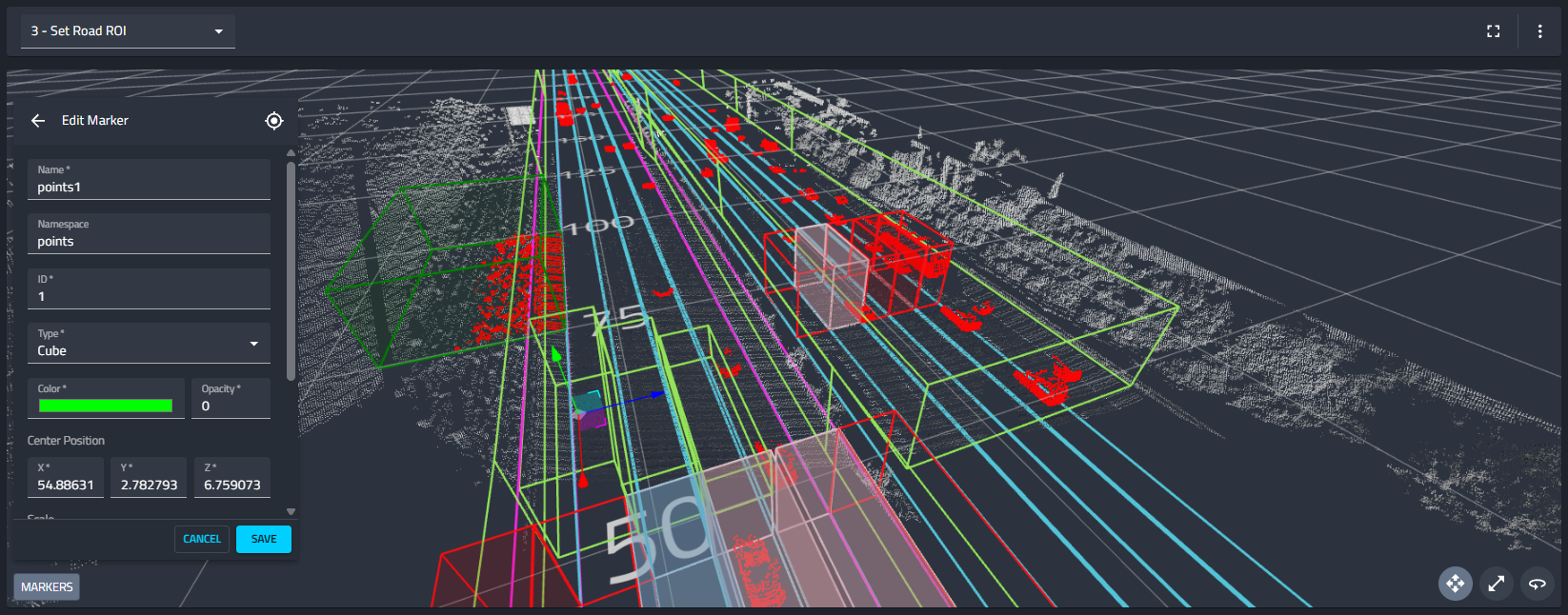
Alert Zones and Styling
New 3D markers are created as ready-to-use alert zones. Configure alert behavior on the marker so operators can see affected zones directly in the 3D scene.
Marker alert styling supports:
- Opacity-flash alerts.
- Gradient styling for direction and orientation context.
- Automatic rejection of self-intersecting marker shapes.
When a marker enters an alert state, the 3D Viewer can smoothly focus the camera on the affected marker. If multiple markers are in an alert state, the viewer adjusts the scene to keep all affected markers visible.
Placement Preview Coloring
When placing points or markers, the placement preview adopts the color of the surface under the cursor. The placed point keeps that color, making it easier to understand which surface or layer was selected.