Data Monitoring
This page provides an overview of how to access data collected by the agent, both with and without internet connectivity.
Local Agent (Offline Mode)
For network-isolated environments, the agent can be operated fully offline, offering full monitoring through a browser or desktop application.
Browser Access
If device has internet connectivity, it's settings for local connectivity will be shown in the settings page.
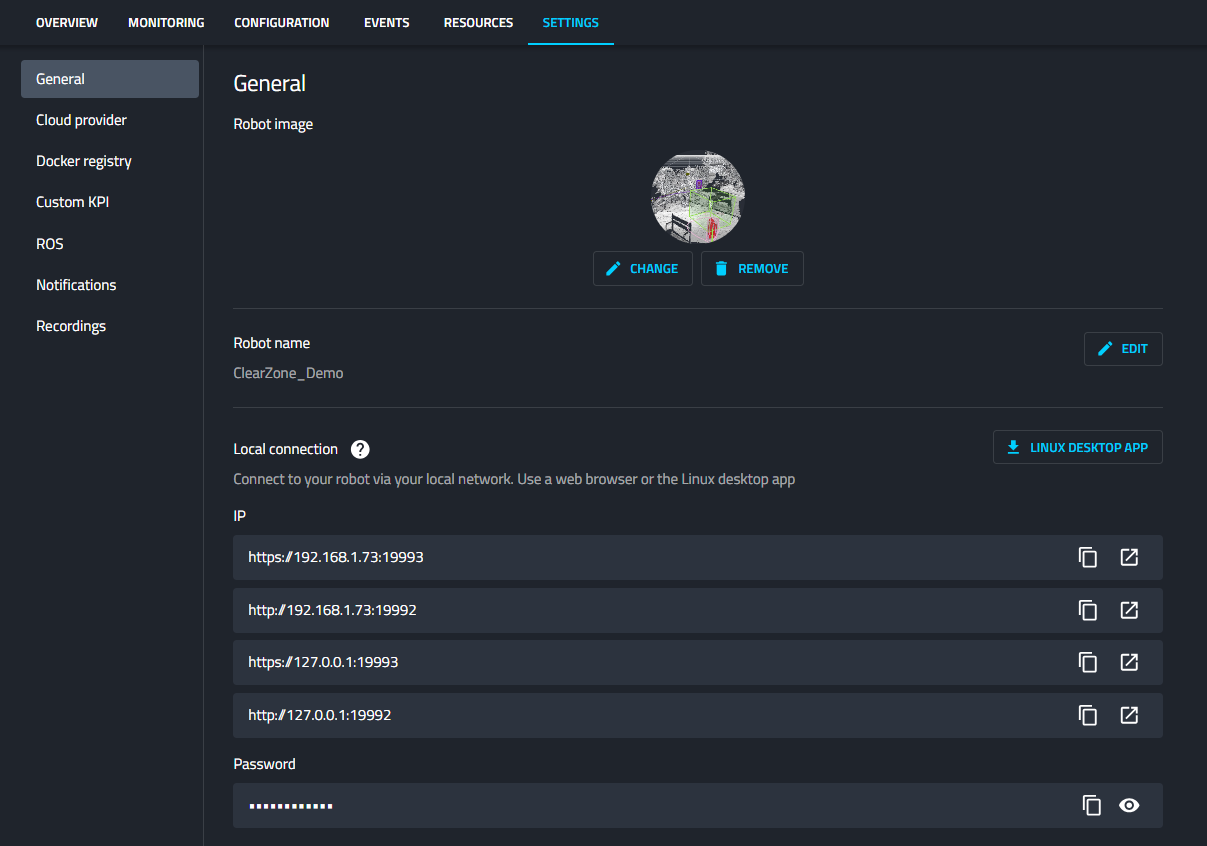
Otherwise from terminal
- Get your device’s IP using:
ifconfig
- Visit:
https://<local-ip>:19993
For example:
- Enter the configured password from
nimbus.json.
Remote Terminal
The Cogniteam Cloud Platform enables seamless access to a remote Linux terminal directly from your browser via the Agent installed on the device. Read more about our Remote Terminal
Command Line Interface (CLI)
Data can be accessed locally via the terminal. The agent may provide CLI tools or commands to retrieve or process the data.
Example commands:
nimbus session
nimbus session local
nimbus platform wifi
For a complete list of CLI commands, refer to the CLI Documentation
gRPC Integration
The agent supports gRPC, enabling integration with applications written in languages like Python, Go, or C++.
Desktop Application - Experimental
The desktop app is known to work best on Linux, but will also work on Mac and WSL (Windows).
- WebRTC communication might be limited
- Download
.debfor Ubuntu X86 - Install it:
sudo dpkg -i cogniteam_latest_amd64.deb
sudo apt-get install -f
In WSL you might also need to install
sudo apt update
sudo apt install libasound2t64
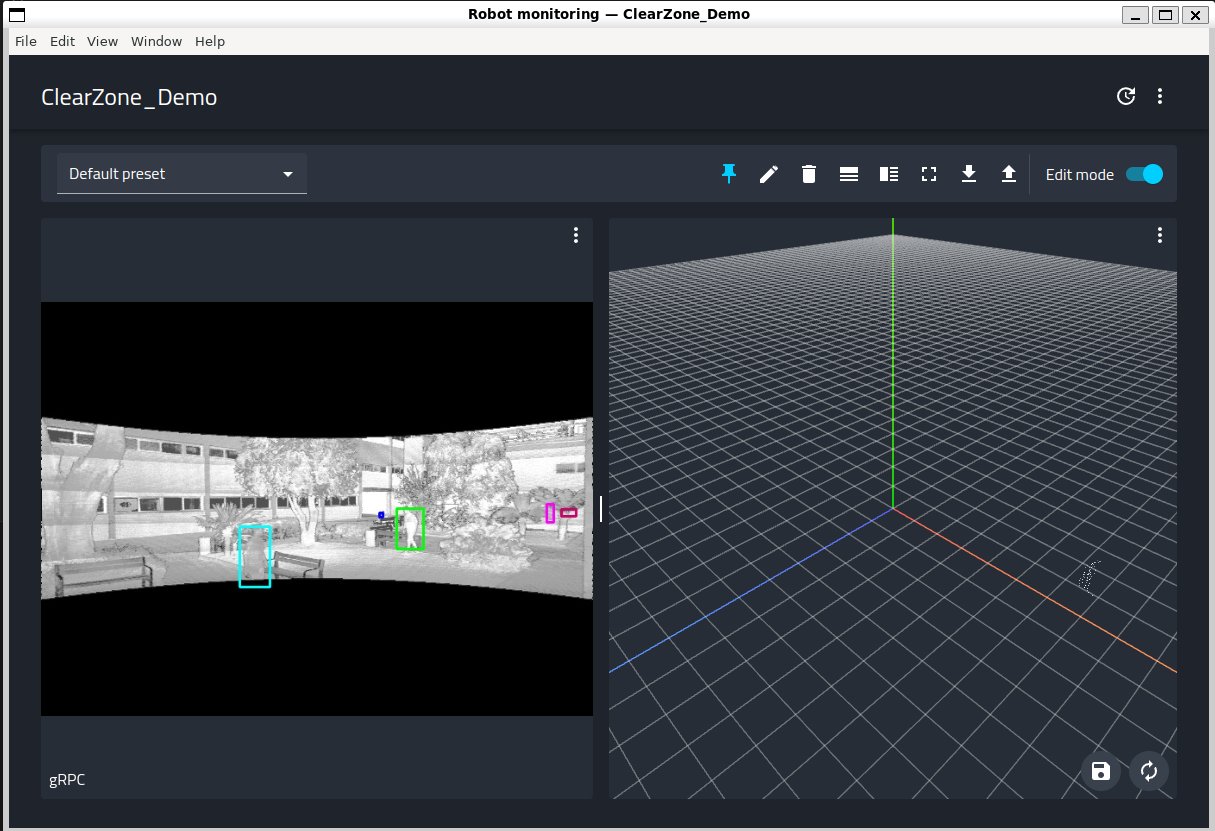
- Launch the application and connect to the local agent.
cogniteam
Cloud Agent (Online Mode)
When the agent has internet access, additional remote methods become available for accessing data:
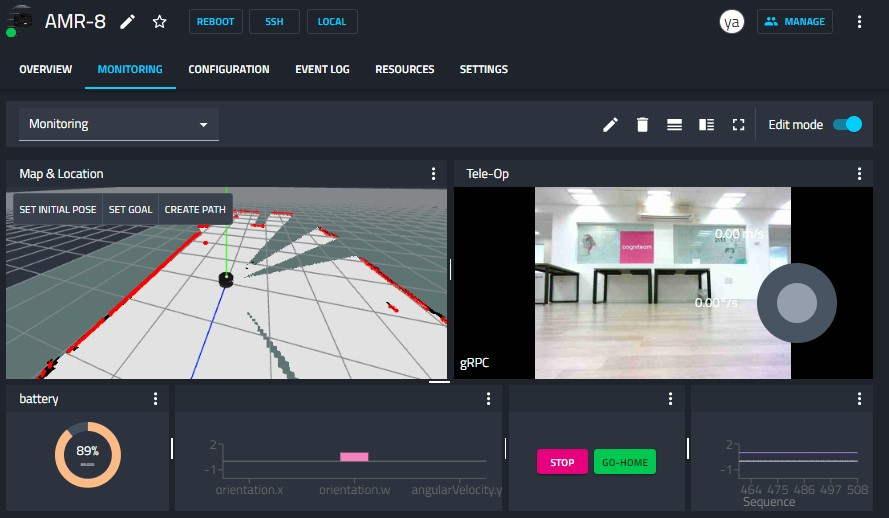
Robot page - Monitoring tab
Enables to set viewers, select streams and visualize data. Read more about it in Robot Monitoring page
Remote Terminal
The Cogniteam Cloud Platform enables seamless access to a remote Linux terminal directly from your browser via the Agent installed on the device. Read more about our Remote Terminal
REST API
The agent exposes a REST API for seamless integration with cloud services, third-party tools, or custom applications. Example API endpoints include:
GET /robot/{robotId}
Example Response
{
    "RobotData": {
        "BasicData": {
            "Id": "459fe5a6-69d4-49a7-aecb-7537e6e4dfae",
            "Name": "AMR-Qualcomm-RB5"
        },
        "IsOnline": false
    },
    "FleetName": "2222222",
    "OrganizationName": "Cogniteam",
    "LastTimeSeen": "2024-09-29T13:07:27.211444Z",
    "Members": {
        "OrgAdmins": {
            "OrgAdmins": [
                "user@cogniteam.com",
                ...
            ]
        },
        "SharedUsers": {
            "UserPermissions": [
                {
                    "UserId": "QA_user2@cogniteam.com",
                    "PermissionType": 1
                },
                ....
            ]
        }
    }
    }
For a complete list of API endpoints, refer to the API Gateway Documentation.